Portable Amateur Radio, SWL, and SDR for Android, iOS, Windows, macOS and Linux
Turn your Android phone or tablet, your iPhone or iPad, or your Windows, macOS or Linux computer, into a complete digital-mode amateur radio station. Plug in your radio, call CQ, and work the world.

Features
- Free, no ads, no account
- Android phones and tablets, iOS, Windows, macOS and Linux
- Plug and play with 156 radios
- Listening (SWL): SDR receivers, a heard log with SWL ADIF, SOTA and RAZA exports
- Full AUTO or one-click manual calling
- Remote control from any browser
- Its own decoders and encoders, written from scratch
- Log all decoded messages
- 63 languages
- 63 languages
- 252 radio models
- 33 radio brands
- 130 modes
Modes
Weak-signal digital modes, keyboard chat, Morse, teletype, pictures and voice. Q65, MSK144, FST4, FST4W and JTTY are experimental.
- FT8
- FT4
- FT2
- LQ8
- JS8
- WSPR
- Q65
- MSK144
- FST4
- FST4W
- JT65
- JT9
- JT4
- CW
- RTTY
- JTTY
- PSK31
- PSK63
- PSK125
- PSK250
- QPSK31
- QPSK63
- Olivia
- MFSK16
- MFSK32
- MFSK64
- MFSK8
- MFSK11
- MFSK22
- MFSK128
- DominoEX
- Feld Hell
- THOR
- Contestia
- MT63
- Throb
- IFKP
- FSQ
- SSTV
- DRAW
- SSB
- AM
- FM
- LQ4
- LQ2
- LQ16
- FreeDV
- M17
- APRS / packet
Every mode 130
Outlined names are experimental.
HAM
Weak signal (QSO)
- FT8
- LQ8
- FT4
- FT2
- JT65
- JT9
- JT4
- Q65
- FST4
- MSK144
- LQ4
- LQ2
- LQ16
Beacons
- WSPR
- FST4W
Keyboard / chat
- JS8
- RTTY
- JTTY
- PSK31
- PSK63
- PSK125
- PSK250
- QPSK31
- QPSK63
- FSQ 6
- FSQ 4.5
- FSQ 3
- FSQ 2
- IFKP 1.0
- IFKP 0.5
- IFKP 2.0
- OLIVIA 8/250
- OLIVIA 8/500
- OLIVIA 16/500
- OLIVIA 32/1000
- OLIVIA 4/250
- CONTESTIA 4/250
- CONTESTIA 8/250
- CONTESTIA 16/500
- CONTESTIA 32/1000
- MT63 2000L
- MT63 1000L
- MT63 500L
- MT63 1000S
- MFSK16
- MFSK32
- MFSK64
- MFSK8
- MFSK11
- MFSK22
- MFSK128
- THOR 16
- THOR 11
- THOR 22
- THOR 8
- DOMINOEX 11
- DOMINOEX 16
- DOMINOEX 8
- THROB 1
- THROB 2
- THROB 4
- THROBX 1
- THROBX 2
- THROBX 4
- FELD HELL
- SLOW HELL
- HELL X5
- HELL X9
- FSK HELL
- FSK HELL 105
- HELL 80
Classic radio
- SSB
- SSB I/Q
- CW
- AM
- AM I/Q
- FM
- FM I/Q
Images
- SSTV
- DRAW
Digital voice
- FreeDV
- M17 voice
Digital voice (data only)
- DMR
- D-STAR
- Fusion YSF
- M17
Packet / data
- APRS 1200
- HF PACKET 300
SWL
Broadcast
- AM broadcast I/Q
- FM + RDS I/Q
- DAB / DAB+ I/Q
- DRM / DRM+ I/Q
HF utility
- DCF77 / MSF / WWVB (time signals)
- WWV / CHU / JJY (time signals)
- Loran-C / eLoran
- DGPS
- Weather fax
- NAVTEX
- DSC
- SITOR-B
- VHF DSC
- SITOR-A
- NCDXF / IARU (Beacons / sounders)
- Chirp / CODAR (Beacons / sounders)
- ALE 2G
- ARDOP
- PACTOR-I
- CTCSS / DCS / DTMF (Selcall / tones)
- SELCAL (Selcall / tones)
Air and sea (public)
- Airband voice
- Marine VHF
- ADS-B (aircraft)
- UAT 978 (aircraft)
- AIS (ships)
- VDES ASM (ships)
- VOR (Navaids)
- ILS (Navaids)
- DME (Navaids)
Weather, sondes, satellites
- APT (weather satellites)
- Meteor LRPT (weather satellites)
- Meteor LRPT 80k (weather satellites)
- RS41 (radiosondes)
- Horus / SSDV (Balloons)
- Weather sensors
- SAME / EAS (weather alerts)
- Satellite telemetry
- BPSK 1200/2400 (Satellite telemetry)
- QO-100 (beacon lock, LNB drift)
IoT and mesh
- POCSAG (DAPNET) (amateur pagers)
- LoRa (Mesh networks)
Radios
Plug and play over USB with 156 radio models: qFT8 recognises the radio and sets up CAT and audio by itself. Any other radio works through a VOX audio cable or a DigiRig.
- QRP Labs
- Icom
- Yaesu
- Kenwood
- Elecraft
- Xiegu
- Lab599
- GuoHe
- FlexRadio
- (tr)uSDX
- FX-4CR
- KN990
- mcHF
- Wolf SDR
- QuantumSDR
- Ten-Tec
- AOR
- Alinco
- Drake
- JRC
- Codan
- Rohde & Schwarz
- Uniden
- Icom LAN / Wi-Fi
- TCI
- Bluetooth
- rig server (rigctl)
- FLrig
Every radio, by brand 252
Outlined names are experimental.
Icom
- IC-78
- IC-271
- IC-275
- IC-375
- IC-471
- IC-475
- IC-575
- IC-703
- IC-705
- IC-706
- IC-706MKII
- IC-706MKIIG
- IC-707
- IC-718
- IC-725
- IC-725A
- IC-726
- IC-728
- IC-729
- IC-735
- IC-736
- IC-737
- IC-738
- IC-746
- IC-746PRO
- IC-751
- IC-751A
- IC-756
- IC-756PRO
- IC-756PRO2
- IC-756PRO3
- IC-761
- IC-765
- IC-775
- IC-781
- IC-820H
- IC-821H
- IC-905
- IC-910H
- IC-970
- IC-1271
- IC-1275
- IC-2730
- IC-7000
- IC-7100
- IC-7200
- IC-7300
- IC-7300 MKII
- IC-7400
- IC-7410
- IC-7600
- IC-7610
- IC-7700
- IC-7760
- IC-7800
- IC-7850
- IC-7851
- IC-9100
- IC-9700
- IC-F8101
- IC-M700PRO
- IC-M710
- IC-M802
- IC-M803
- IC-R6
- IC-R10
- IC-R20
- IC-R30
- IC-R71
- IC-R72
- IC-R75
- IC-R7000
- IC-R7100
- IC-R8500
- IC-R8600
- IC-R9000
- IC-R9500
- IC-RX7
- ID-1 (23 cm)
- ID-31A
- ID-31E
- ID-51A
- ID-51E
- ID-52A
- ID-52A PLUS
- ID-52E PLUS
- ID-4100
- ID-5100
Yaesu
- FRG-100
- FRG-8800
- FRG-9600
- FT-100
- FT-100D
- FT-450
- FT-450D
- FT-600
- FT-650
- FT-710
- FT-736R
- FT-747GX
- FT-757GX
- FT-757GX II
- FT-767GX
- FT-817
- FT-818
- FT-840
- FT-847
- FT-847 (one-way CAT)
- FT-857
- FT-857D
- FT-890
- FT-891
- FT-897
- FT-897D
- FT-900
- FT-920
- FT-950
- FT-990
- FT-991
- FT-991A
- FT-1000
- FT-1000D
- FT-1000MP
- FT-1000MP Mark-V
- FT-2000
- FT-DX (other series)
- FT-DX10
- FT-DX101
- FT-DX9000
- FTX-1
- VR-5000
- FT-2000D
Kenwood
- R-5000
- TH-D7A
- TH-D7E
- TH-D72A
- TH-D72E
- TH-D74
- TH-F6A
- TH-F7E
- TK-90
- TM-D700
- TM-D710
- TM-D710G
- TM-V7
- TM-V71A
- TM-V71E
- TS-50S
- TS-140S
- TS-440S
- TS-450S
- TS-480
- TS-570
- TS-590
- TS-680S
- TS-690S
- TS-711A
- TS-711E
- TS-790A
- TS-790E
- TS-811A
- TS-811E
- TS-850S
- TS-870S
- TS-890S
- TS-940S
- TS-950S
- TS-950SDX
- TS-990S
- TS-2000
Xiegu
- G90
- G90S
- G106
- G106C
- G7250
- X108
- X108G
- X5105
- X6100
- X6200
AOR
- AR2700
- AR3000A
- AR3030
- AR5000
- AR5000A
- AR8000
- AR8200
- AR8600
- SR2200
Ten-Tec
- RX-320
- RX-331
- TT-516 Argonaut V
- TT-563
- TT-564 Omni VI
- TT-565 Orion
- TT-566 Orion II
- TT-588 Omni VII
- TT-599 Eagle
Elecraft
- K2 (KIO2)
- K3
- K4
- KH1
- KX2
- KX3
Rohde & Schwarz
- EB200
- EK895
- ESMC
- XK2100 (receive only)
- EK896
Uniden
- BC245XLT
- BC250D
- BC780XLT
- BC895XLT
- BC898T
JRC
- NRD-525
- NRD-535
- NRD-535D
- NRD-545
Codan
- 2110
- Envoy
- NGT
Drake
- R-8
- R-8A
- R-8B
FlexRadio
- 6000 (CAT)
- 8000 (CAT)
- PowerSDR (CAT)
Alinco
- DX-77
- DX-SR8
GuoHe
- PMR-171
- Q900
QRP Labs
- QDX
- QMX
Racal
- RA3702
- RA6790/GM
Wolf SDR
- Wolf SDR
- Wolf SDR (FT-450 CAT)
- (tr)uSDX
- (tr)uSDX (audio over USB)
- ELAD FDM-DUO
- FX-4CR
- Hilberling PT-8000A
- KN990
- Lab599 Discovery TX-500
- mcHF QRP SDR
- Microtelecom Perseus (its program's CAT)
- QuantumSDR
- Radio Shack PRO-2052
- Skanti TRP 8000
- usdr
- uSDX+
- Vertex Standard VX-1700
Any other radio that speaks one of these CAT languages works the same way:
- Icom CI-V
- Kenwood CAT
- the older Yaesu CAT
- Receiver and scanner CAT
- Yaesu CAT
- Kenwood handheld CAT
- Professional radio CAT
- Yaesu five-byte CAT
- Xiegu CI-V
- Ten-Tec CAT
- AOR CAT
- Elecraft CAT
- JRC CAT
- (tr)uSDX CAT
- Drake CAT
- QRP Labs CAT
- Alinco CAT
- AOR terminal CAT
- GuoHe CAT
- QuantumSDR CAT
Over the network and Bluetooth, no cable:
- Icom LAN / Wi-Fi
- Kenwood LAN
- Elecraft K4 Ethernet
- FlexRadio SmartSDR
- TCI (WebSocket)
- Rig server (rigctl protocol)
- FLrig (XML-RPC)
- SDR++ (rigctl + network audio)
- CAT over TCP (adapter)
- Serial server (RFC 2217)
- X6100 companion server
- QuantumSDR (UDP)
- Bluetooth serial (SPP)
- Bluetooth LE serial
SDR receivers (listening only):
- RTL-SDR (network)
- KiwiSDR (network)
- Hermes-Lite 2 / OpenHPSDR (network)
- Airspy / RTL-SDR server (network, port 5555)
- remote SDR host (network: SDRplay, LimeSDR, Pluto ...)
- OpenHPSDR protocol 2 (network: ANAN, Saturn, Orion ...)
- TCI IQ stream (network)
- multicast RTP receiver (network, port 5006)
- web receiver, audio channel (network)
- wideband web receiver (network)
- SDR++ server (network)
- RTL-SDR (USB)
- Airspy HF+ (USB)
- Airspy R2 / Mini (USB)
- HackRF (USB, receive only)
- ADALM-Pluto (USB network, receive only)
- sound-card I/Q (SoftRock, FUNcube ...)
SDR receivers and listening (SWL)
Listen without transmitting: an RTL-SDR dongle plugged into your phone or Linux computer (no driver to install, the V4 included), or over the network an RTL-SDR server, a KiwiSDR web receiver, a Hermes-Lite 2, an Airspy, an SDRplay and more. Every mode decodes as from a radio, and the QSOs you hear go to an SWL log with ADIF, SOTA SWL and RAZA SWL exports. Receive only.
- RTL-SDR
- KiwiSDR
- OpenHPSDR
- Hermes-Lite 2
- Red Pitaya
- Airspy / RTL-SDR server
- remote SDR host
- SDR++ server
- SWL
- Airband (AM)
- Marine VHF (FM)
- FM + RDS
- AM broadcast
- DAB / DAB+
- DRM / DRM+
- SDR++
Operating
Full AUTO answers CQs, runs the QSO and logs it, with retry limits you set; or call stations yourself with one tap. CW with on-screen paddles, keyboard and memories, SSB with voice memories, and transmit time limits that protect your radio.
- Multi-tone (2 signals)
- Fox / Hound
Award programmes
Hunt and activate: references on the map and in the station list, live spots, a QSO counter and ADIF exports. POTA and SOTA are on from the start; the others are experimental.
SWL support
No callsign needed: press SWL ONLY at the first start. What you hear is logged by itself in a heard (SWL) log, with the receiver it came through. Import and export it as ADIF or CSV, with SOTA and RAZA SWL files, send your reports to eQSL (SWL account), PSK Reporter and WSPRnet, and follow the built-in SWL tutorial. Receive only.
- ADIF
- CSV
- eQSL
- PSK Reporter
- WSPRnet
- SOTA SWL
- RAZA SWL
Signal receivers (SWL)
Receivers in the SWL tab for the signals around you, with an SDR or your radio: aircraft (ADS-B) and ships (AIS) live on the world map, LoRa and Meshtastic, digital-voice data (DMR, D-STAR, Fusion), HF data (ALE, ARDOP, PACTOR-I), FM with RDS and AM broadcast, weather and amateur satellites, radiosondes, time codes, weather fax and more. PROBE, the automatic mode detector, tells you what is on the air. Receive only.
- ADS-B
- AIS
- LoRa
- Meshtastic
- ALE
- ARDOP
- PACTOR-I
- FM RDS
- AM
- DMR
- D-STAR
- Fusion
- APT
- Meteor LRPT
- Horus
- RS41
- DCF77
- WWV
- NAVTEX
- DSC
- APRS
- VOR
- ILS
- UAT
- VDES
- POCSAG
- eLoran
- SAME
Contests (experimental)
The exchange, duplicate checks, the score and a Cabrillo export. AUTO is switched off in the contests whose rules forbid automated QSOs.
- ARRL Field Day
- Winter Field Day
- ARRL RTTY Roundup
- ARRL International Digital Contest
- FT Challenge
- EU VHF
Online logbooks
Each QSO goes to the services you choose as you log it. qFT8log shares one log between your own qFT8s. ADIF import and export.
- QRZ
- Logbook of the World
- eQSL
- Club Log
- HRDLog
- HamQTH
- World Radio League
- HAMLOG.online
- Wavelog
- Cloudlog
- qFT8log
Logging programs on your network
FT8 network log and ADIF over UDP, both ways, plus the AC Log and DXLab interfaces (experimental). Tested with:
- N1MM Logger+
- Log4OM 2
- N3FJP AC Log
- CQRLOG
- GridTracker
- Wavelog
- Cloudlog
- qFT8log
Map and spots
A live world map of every station you hear, with distance and bearing; spots from PSK Reporter and WSPRnet, LQ8 activity, POTA and SOTA activations, band propagation, satellite tracks and a map compass. Your own decodes are reported to PSK Reporter and WSPRnet.
Anywhere
Remote control from any browser: hear the radio and talk in SSB, behind a private link and a password. Time from the internet or GPS, and it runs with the screen off.
qFT8 Awards
Built into the app, for hams and listeners (SWL): stars for the modes, bands, DXCC entities and grid squares you work or hear, a diploma that fills in as you progress, and achievements you can share.
The app makes the diploma itself, from your own log: nothing to apply for, nothing to send. There are two programmes: HAM (your logged contacts) and SWL (the stations you heard).
HAM stars: each of 14 modes (FT8, LQ8, FT4, JS8, JT65, Q65, CW, SSB, FM, RTTY, PSK, SSTV, DV, JTTY) and each of 13 bands (160 m to 70 cm) earns up to 10 stars, at 1, 5, 10, 50, 100, 500, 1000, 5000, 10000 and 50000 different stations. DXCC earns up to 10 stars, from 1 to 300 current entities (340 exist), and grid squares up to 10, from 1 to 2000. Every mode and band combination you work adds one more star: 472 in all.
SWL: the same stars for the stations you hear, in groups of amateur modes, in services (broadcast, time signals, beacons, maritime, aircraft, weather), and in DXCC entities and grid squares.
No confirmations needed: every QSO in your qFT8 log counts, confirmed or not, imported ones too. Your QSOs count for SWL as well, together with every station you heard, each station once.
Get your diploma
- Open Settings: the gear button of the bottom bar (on Android, iPhone and iPad its right-most button; on the computer the gear in the bottom bar), or the gear tab in the web remote.
- At the very top of Settings there are two buttons, QSO and SWL, each with a star and the number of stars you have earned. Tap the QSO or SWL button (click it on the computer) to open that diploma; it fills in live as you log and listen.
- Full screen: tap the diploma (click it on the computer and in the web remote). Pinch or the mouse wheel zooms, drag moves it, a double tap shows the whole page again; the exit button is at the top-right corner (Esc also closes it on the computer).
- Share: the share button, at the right end of the line above the diploma or at the top-right corner of the full-screen view. On Android, iPhone and iPad it opens the share sheet with the diploma as a picture; the computer saves it as a PNG file; the web remote downloads it. The diploma language button picks the language it is drawn in.
How every star is counted: the Awards section of the user manual
Download
- AndroidFor this device
 Direct download .apk: 18.09MB
- iPad with Apple silicon (M-series)For this device
 VOX only: these devices cannot control a radio over USB (no CAT), so the radio transmits through its VOX. How it worksWhich iPad do you have? Settings > General > About shows the model: iPad Pro from 2021 and iPad Air from 2022 on have Apple silicon.
- iPhone / iPad without Apple siliconFor this deviceVOX only: these devices cannot control a radio over USB (no CAT), so the radio transmits through its VOX. How it works
- iPhone / iPad (advanced): install the .ipa yourself (sideload)For this deviceDirect download .ipa: 29.51MBThe .ipa is for sideloading (iOS 17 or newer): install it with a sideloading tool that signs it with your own Apple ID. With a free Apple ID the app stops opening after 7 days until you sign and install it again, and iOS asks you to turn on Developer Mode.
- Windows (64-bit)For this deviceDirect download .zip: 56.56MBAlso on the Microsoft StoreYour Windows is older than the Store version needs: use this download. qFT8 officially supports Windows 10 or newer. Windows 7 SP1 and 8.1 also run it, but they are not supported.
- Windows (32-bit)For this deviceDirect download .zip: 64.05MBAlso on the Microsoft StoreYour Windows is older than the Store version needs: use this download. qFT8 officially supports Windows 10 or newer. Windows 7 SP1 and 8.1 also run it, but they are not supported.
- macOS (every Mac: Apple Silicon and Intel)For this device
 Direct download .dmg: 110.10MB
- Linux (64-bit, Intel/AMD)For this deviceDirect download .tar.gz: 68.75MB
- Linux (32-bit, Intel/AMD)For this deviceDirect download .tar.gz: 91.36MB
- Linux (ARM 64-bit, Raspberry Pi 4/5)For this deviceDirect download .tar.gz: 88.10MB
- Linux (ARM 32-bit, Raspberry Pi 2/3)For this deviceDirect download .tar.gz: 83.10MB
The direct Android download (.apk) installs outside the Play Store: Android may ask you to allow installing apps from your browser or file manager.
Any computer with Java 21 or newer (for example a Raspberry Pi): .jar: 36.49MB
Questions and answers
What is qFT8?
qFT8 is a free amateur radio program for weak-signal digital modes, Morse, teletype, pictures and voice. It runs on Android phones and tablets, iOS, Windows, macOS and Linux, and can be controlled from any browser. It has no ads and needs no account. It is written by Luis Quesada Torres, HB9IPH, with its own decoders and encoders written from scratch.
Why is qFT8 a good FT8 app for Android?
qFT8 is a complete FT8 station for Android 6.0 and newer, on phones and tablets: connect the radio with one USB cable and qFT8 recognises it and sets up CAT and audio by itself, with no computer and no interface box. It sends and receives FT8, FT4, FT2, LQ8, JS8, WSPR and more, answers CQs in full AUTO, keeps the clock right from the internet or GPS, shows every station on a live world map and logs each QSO to the services you choose. It keeps running with the screen off. Free, no ads, no account.
Can I run qFT8 on a Windows, Mac or Linux computer?
Yes. qFT8 runs on Windows (64-bit and 32-bit, also from the Microsoft Store), on every Mac (Apple Silicon and Intel) and on Linux (Intel/AMD and ARM, including the Raspberry Pi), with the same modes, radios and features as on Android. The downloads on this page are free.
Is there a qFT8 version for iPhone and iPad?
qFT8 also runs on iPhone and iPad (iOS). An iPhone or iPad cannot control a radio over a cable, so it keys the radio through the radio's VOX or through an audio interface that keys the radio from the audio.
Which radios work with qFT8?
156 radio models are plug and play over USB, among them the QRP Labs QMX, QMX+ and QDX, the Icom IC-7300, IC-705 and IC-9700, and radios from Yaesu, Kenwood, Elecraft, Xiegu, Lab599, GuoHe, FlexRadio and (tr)uSDX. Any other radio works through a VOX audio cable or a DigiRig, and SDR receivers such as an RTL-SDR can be used for receiving.
Can I use a QRP Labs QMX or an Icom IC-7300 with my phone?
Yes. Plug the QMX, QMX+ or IC-7300 into an Android phone or tablet with one USB cable: qFT8 finds the radio, reads and sets its frequency over CAT, and sends and receives the audio over the same cable. No sound card or extra interface is needed. The same works with a computer.
Which modes does qFT8 support?
Weak-signal contacts: FT8, FT4, FT2 and LQ8, plus JT65, JT9, JT4, Q65, FST4, MSK144 and the other LQ modes. Beacons: WSPR and FST4W. Keyboard and chat: JS8, RTTY, PSK, Olivia, Contestia, MT63, MFSK, THOR, DominoEX, FSQ, IFKP, Hellschreiber and JTTY. Classic radio: CW, SSB, AM and FM. Digital voice: FreeDV and M17. Pictures: SSTV and DRAW. Data: packet radio and APRS, and the data of DMR, D-STAR, Fusion and M17. For listening (SWL): AM, FM with RDS, DAB and DRM broadcasts, time stations, weather fax, NAVTEX and other HF utility signals, aircraft (ADS-B) and ships (AIS), weather satellites, radiosondes, amateur satellites, pagers and LoRa. Many of the newer modes are marked experimental. LQ8 is a weak-signal mode created by HB9IPH that completes a QSO, with locator and signal report, in four messages.
Does qFT8 work with POTA, SOTA, contests and online logbooks?
Yes. It shows POTA and SOTA references and live spots on the map and in the station list, counts your activation QSOs and exports ADIF; WWFF, IOTA, HEMA, GMA and other programmes, and contests such as ARRL Field Day, are experimental. Each QSO can go to QRZ, Logbook of the World, eQSL, Club Log, HRDLog, HamQTH, HAMLOG.online, Wavelog or Cloudlog as you log it, and to the logging programs on your network.
Can I use qFT8 only to listen (SWL)?
Yes. qFT8 receives and decodes every mode it knows through an SDR receiver (an RTL-SDR dongle on an Android phone or a Linux computer, an RTL-SDR network server, your own or a public KiwiSDR, and other network SDRs) or through an ordinary radio in SWL mode, in which it never transmits. The QSOs you hear between other stations go to a heard log that exports SWL ADIF, CSV, SOTA SWL and RAZA SWL files. The user manual's SWL section explains the receivers and their drivers.
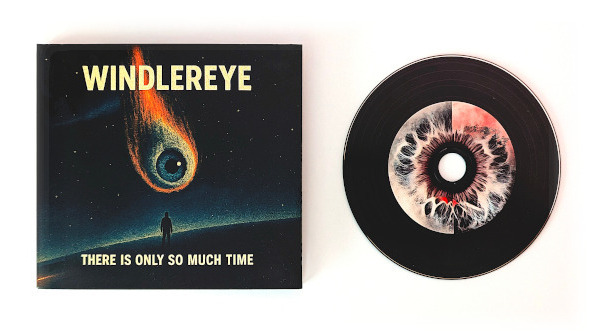
Support me by listening to my music project Windlereye
Special Thanks & Top Contributors
Roger Ribes González (EA3ISA) — Invaluable guidance, close collaboration, and extensive field beta testing since the earliest development stages of qFT8, contributing substantially to shaping the SOTA and POTA features.
Andriy Dinets (UR4LBR) — Extensive beta testing and vital help sorting out intricate issues surrounding spectrogram rendering, digital signal processing, SNR accuracy, as well as advancing SOTA and POTA capabilities.
Rob Colclough (GW8RDI) — Creator and developer of the QuantumSDR and uSDX Open projects. Instrumental in making qFT8 support multiple transceivers and diverse Android devices, providing deep technical counseling and dedicated testing.